Publish Weekly Report
Choose the Report Period
Click the Report Period, you could choose the week you would like to publish a report.
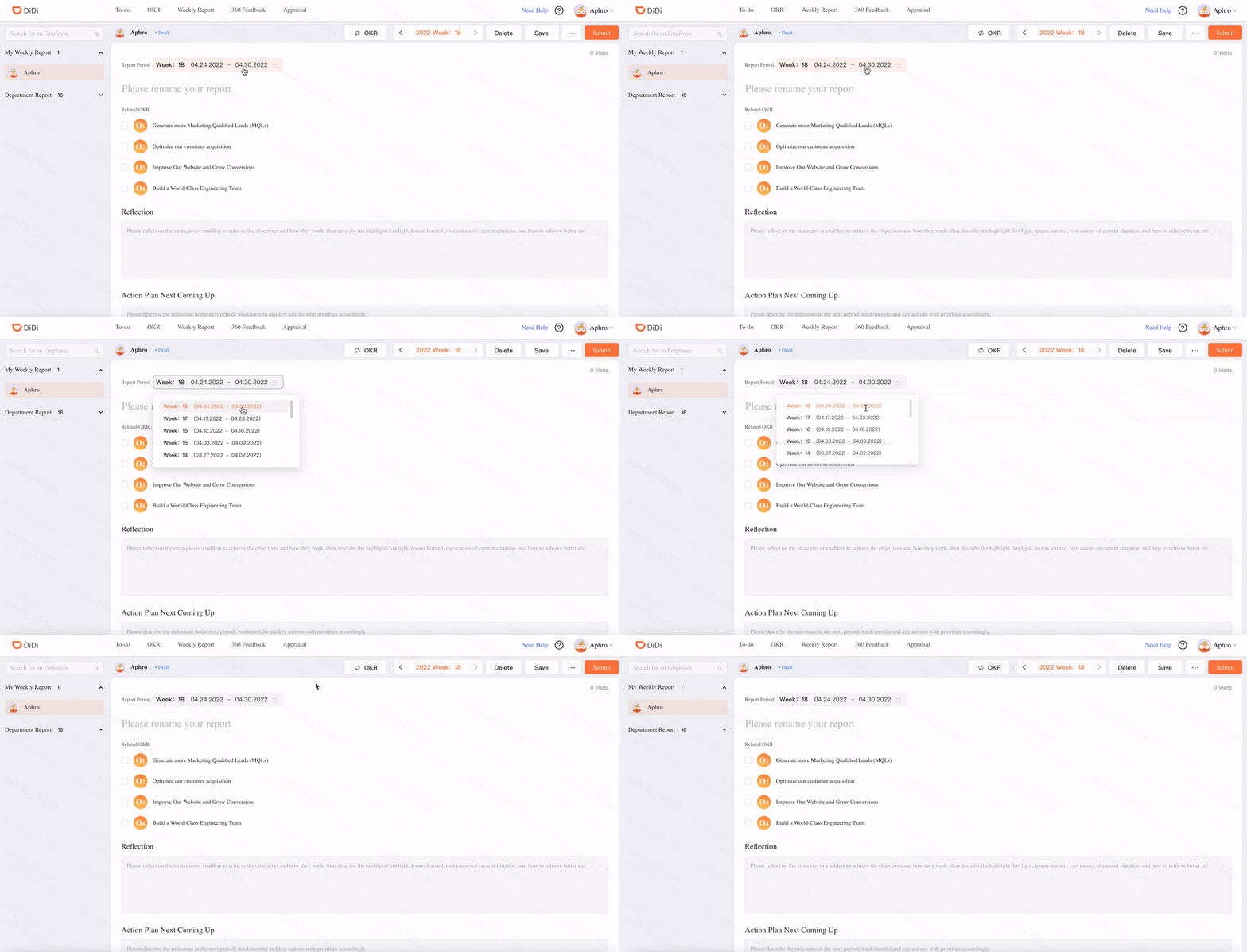
Only one weekly report could be published in a week.
The default period is current week.
You could choose any week which doesn't have a published weekly report in this year.
Relate the OKR
Click the objectives you would like to reate it to your weekly report.
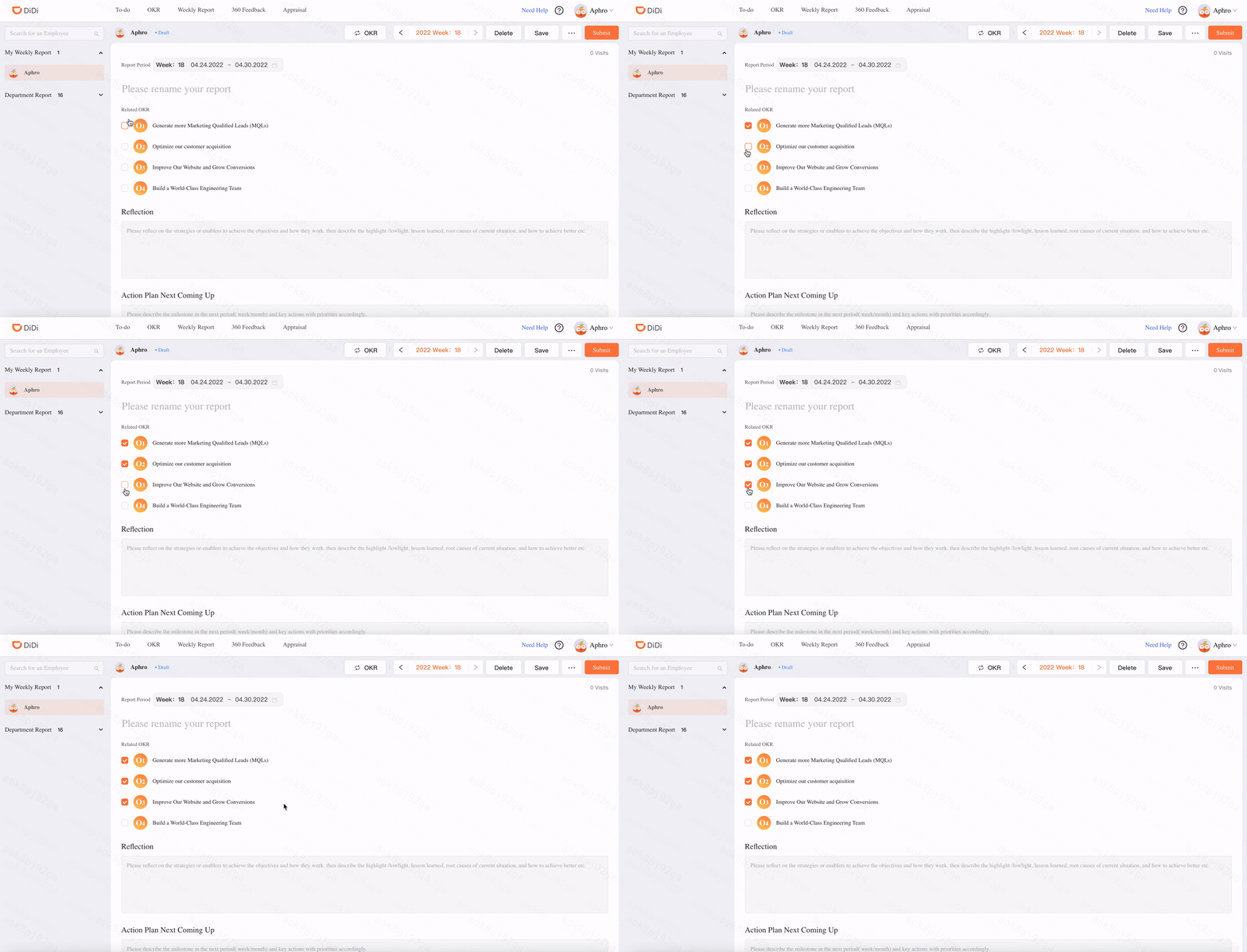
The objectives is from the latest published OKR.
You could choose more than one objectives here.
Before you relate the objectives, please update the progress and status in OKR.
Publish the Weekly Report
Click the "Submit" button and publish your weekly report.
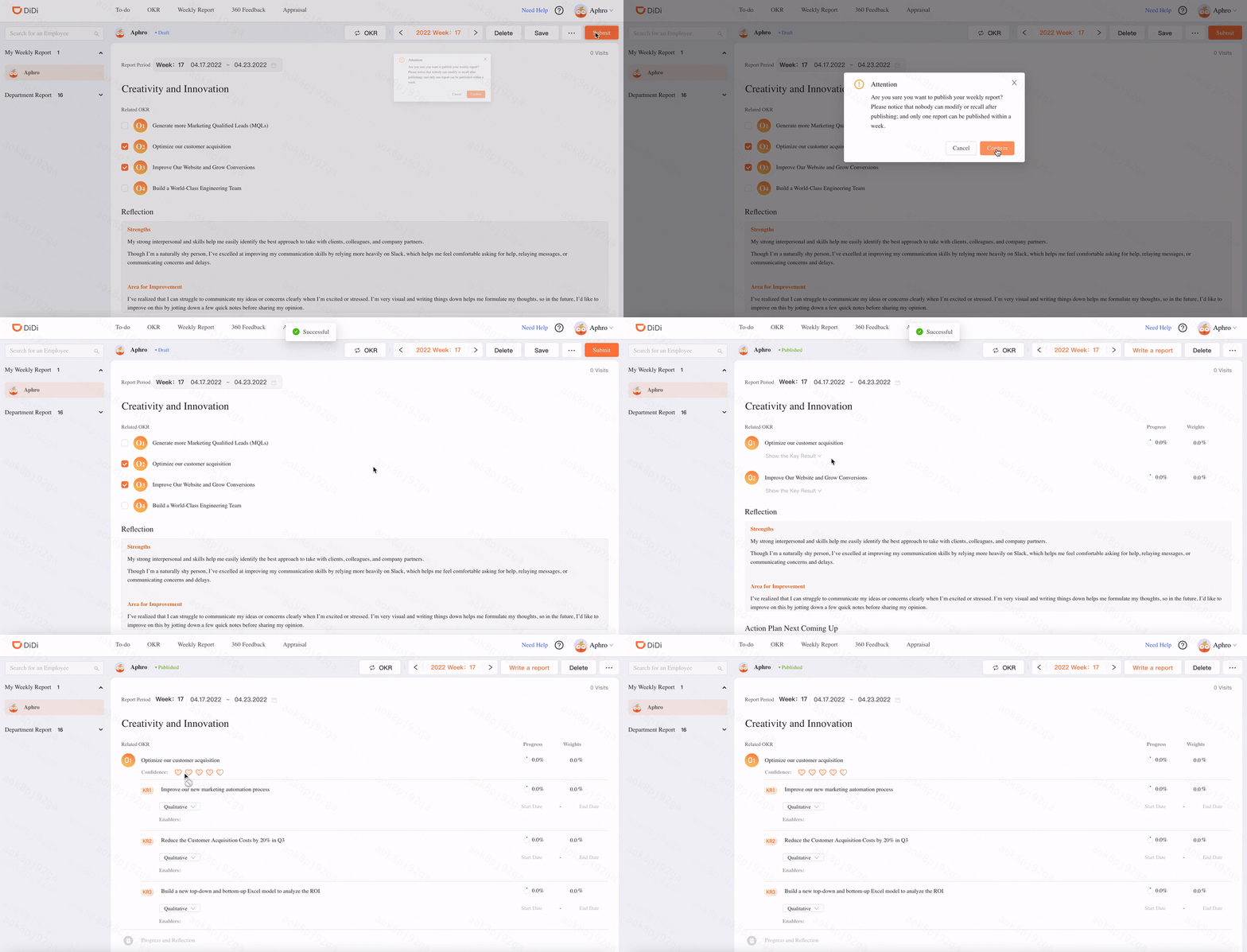
After publishing the weekly report, the details about the objectives could be viewed here.
The OKR is read only here and the information is before you publish your weekly report.
The employee who could view your OKR also could view your published weekly report.